If This Then That is a program with pre-built tasks that can be linked together for repetitive tasks you complete. I use it largely as a way to automate parts of my social media feeds and to help promote my personal Redbubble page.
How to get started
If you use the free version of the service you will be able to complete simple repeative tasks using a single social media account in each selected platform.
Be intentional when you select what accounts you want to use. If you already post your blog directly to social media accounts don’t attach it to this service instead attach your social media accounts to other services that don’t already automatically repost your content.
Once you select the account you want to use, start thinking about how you want your scheduling to work Do you want to do daily task or do you want to repost based on when others post like a retweet a tweets or a post of a YouTube video channel.
Lastly when you set up your own applet task, make sure that you run some tests to see which kind of content is actually posting and go back to check your feeds after a few task completions to make sure it looks proper. IFTT makes it easy because you can actually check and see how many times an applet runs and what the outcomes were, if it worked or didn’t work. I did set up a couple in the beginning that were not executing properly when tweets were being posted and I wanted to repost them, so I had to go back and change what I was working through. I am on the subscription plan to allow me to use multiple accounts for each applet. This is nice for reposting an RSS feed to Twitter accounts.

Issues With Twitter
As of the writing of this post, the API is still allowing for tweets to be created and posted. Given the ways that the company is moving and shifting code constantly, I have no idea how much longer that actually will work. The biggest issue is the auto reTweet applets. Only legacy applets will allow you to auto-RT another user. For my school’s account, I have it set to RT everything posted by our School district account. This means nothing will get missed and I don’t have to check that feed everyday. I have it set to post RT Infront of the original tweet txt.
For me personally I have:
- the STLP Kentucky account set as an auto RT to help promote what the they are doing for students.
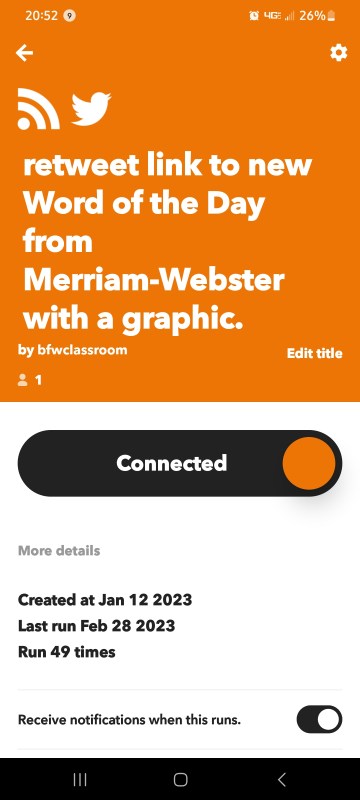
- Merriam-Webster word of the day RSS feed
- NASA Earth image of the day sending to 2 accounts
- Astrophotography image of the day sending to 2 accounta
- Auto-post videos from my YouTube channel to my Twitter
Final Thoughts
IFTTT is an easy bot that you can set up if you’re one of those people managing multiple accounts at your business and in your personal life. I highly recommend using it but try the first premium version to see if it actually will do the workflows you need before paying the monthly fee. I have moved to the subscription plan only because of the multiple social media accounts that I post on and manage. This way I have broader access inside of my applets. In relation to WordPress, I don’t use this program to post to my social media accounts because those options are already baked into WordPress as a whole. There are options inside of IFTTT to post into WordPress and backwards from there, but if you’re already paying for WordPress subscription those kind of options are baked into what you’re doing anyways on the blogging platform.

 BFWClassroom
You must be logged in to post a comment.