Category: Adobe Creative Educators
-
ACE Recoloring Text With The Image Blending Tool” on YouTube
In this tutorial I show how to use the image blending tool in Adobe Express to recolor text. This trick can be used to add personality to any title or text design in a project. Additionally, it can be used to create a 3D raised text effect on any image.
-

YouTube In The Classroom: What I Have Learned About Creating How-to Videos
It’s About Community Start by seeing what your PLN looks like. Find out where the gaps are, then start sharing what you know to help out others. So many new teachers will be entering the classroom with very limited time to learn more your experience and expertise might help out others and increase your connections.…
-

Celebrating Creativity Podcast
I had the great honor of participating with four other teachers on the Celebrating Creativity Podcast, hosted by Melissa Aveling (bioLink twitter). I highly recommend subscribing to her series and hearing what other amazing educators are sharing. The amazingly CREATIVE educators I got to present with: Marilyn McAlister @MarilynEDU Heather Brown @browniesedbites Melissa Hayes @MrsHayesfam…
-

YouTube In The Classroom: Content Creators and Inspirations Part2
I have been working on changes to my workflow assets for video creation for the past month. I concentrated on watching video tutorials from creators I enjoy and seeing what common elements they use to make their videos more professional and consistent. For a list of who I watch check out my other post. (Post…
-

ACE 2min Tech: Curved Word Art
One of the great things about Adobe Express is the ability to create a series of common graphics from templates. Using templates can be amazing but come with some problems including spacing and layout. Learn how to use these tools to make better graphics as you change the words in the graphic template.
-
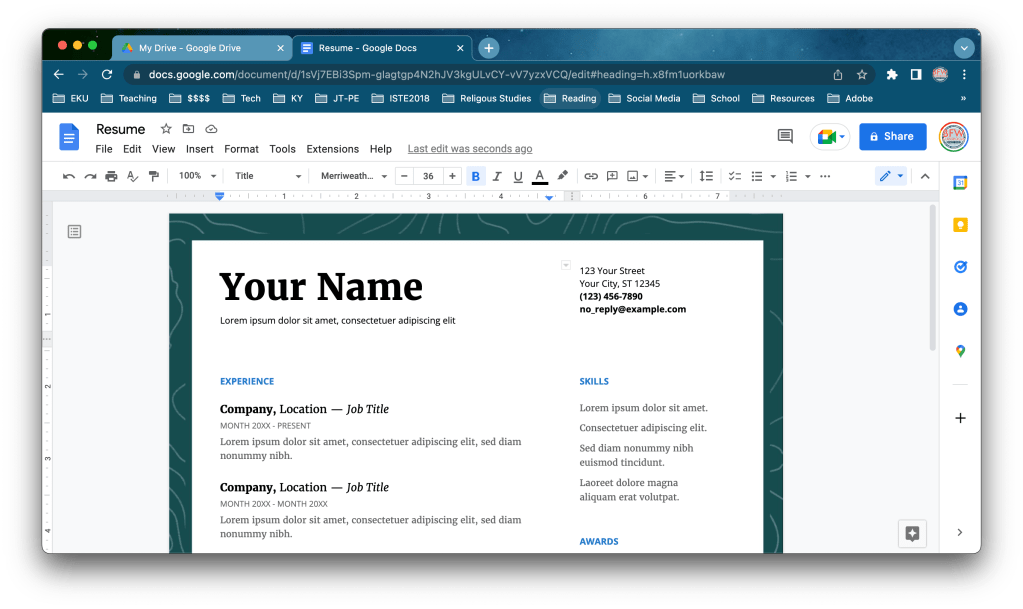
APP Smash Update: Adobe Express and Google Docs
Using @AdobeExpress and #GoogleDocs, you can create custom page designs and borders. #AdobeEduCreative #GoogleEdu
 BFWClassroom
You must be logged in to post a comment.